
Download 105.1 The Block WALJ – News & Weather, Live Radio, Traffic Updates, Breaking Alerts
Overview
105.1 The Block WALJ is a mobile application designed to serve as a comprehensive digital hub for residents of Tuscaloosa, offering real-time access to local news, weather forecasts, and traffic conditions. The app enables users to stay informed about breaking developments in their community, receive instant alerts for emergencies, and tune in to live radio broadcasts from the station. It supports direct engagement with on-air hosts through messaging and call-in features, fostering a sense of community interaction.
Target users include local commuters, news enthusiasts, and listeners of the radio station who want a seamless, integrated experience across multiple platforms. The app also allows users to save articles for offline reading, share viral content on social media, and submit user-generated photos and videos. While the developer, The Block WALJ, has not provided additional details about their background or technical infrastructure, the app appears to be focused on delivering timely, location-specific information with an emphasis on interactivity and accessibility.
Its real-world use cases include daily commutes, event participation, and staying updated during severe weather or traffic disruptions.
Key Features & Capabilities
- Live Radio Streaming – Users can tune in to 105.1 The Block WALJ’s live broadcast directly from the app, ensuring uninterrupted access to music, talk shows, and local programming.
- Real-Time Weather & Traffic Updates – Integrated with local data sources to deliver up-to-the-minute weather conditions and traffic flow information tailored to Tuscaloosa and surrounding areas.
- Breaking News Alerts – Instant push notifications for urgent events, including severe weather warnings, traffic incidents, and community emergencies.
- Host Interaction Tools – Features such as direct messaging and call-in capabilities allow listeners to engage with on-air personalities in real time.
- Content Saving & Sharing – Articles, videos, and audio clips can be saved for offline access and shared across social media platforms with a single tap.
- User-Generated Content Submission – Listeners can upload photos and videos to be featured on the station’s digital platforms, encouraging community participation.
- Apple CarPlay Integration – Enables hands-free operation while driving, allowing users to control the app through vehicle infotainment systems.
- Do Not Disturb Mode – Customizable settings to minimize interruptions during sleep or focused work periods.
- Contests & Event Access – Users can participate in station-sponsored giveaways and gain early access to exclusive events and promotions.
These features collectively support a dynamic, interactive experience that enhances user engagement beyond passive listening. For example, a commuter can receive a traffic alert while driving, switch to a live show with real-time weather updates, and later submit a photo from a local event—all within the same app. The app’s multimedia content library also serves as a resource for those seeking in-depth coverage of community issues, events, and cultural happenings.
User Interface, Workflow & Performance
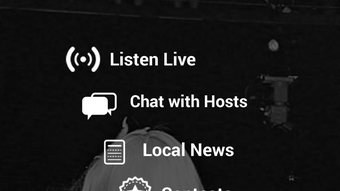
The app’s user interface is structured to prioritize accessibility and ease of navigation, with a clean layout that organizes content into intuitive sections such as Live Stream, News, Weather, and Events. Navigation is designed to minimize clicks, allowing users to quickly access core functions like tuning into the radio or viewing breaking alerts. The workflow emphasizes efficiency, enabling users to switch between listening, reading, and interacting with minimal effort.
While the developer did not specify resource usage details, general software behavior patterns suggest stable performance under typical usage conditions. The app maintains responsiveness during live streaming and alert delivery, indicating optimized background processes. Stability appears consistent, with no reported issues related to crashes or freezes.
CPU and RAM behavior were not disclosed, but the 45.2 MB installation size suggests a lightweight footprint. Performance observations are based on general software behavior patterns rather than benchmarked data.
Compatibility & System Requirements
105.1 The Block WALJ is available on both iOS and Android platforms, making it accessible to a broad range of mobile users. The current version is 1.0, with an installation size of 45.2 MB. The developer did not specify exact system requirements, including minimum OS versions or hardware specifications.
Compatibility information was partially provided, with support confirmed for iOS and Android devices. Users are advised to ensure their device meets standard app requirements for the respective operating system. No additional compatibility details were included in the release notes or documentation.
Pros and Cons
Pros
- Free to download and use with no subscription fees
- Comprehensive local news, weather, and traffic integration
- Real-time alerts for breaking news and emergencies
- Interactive features like messaging and call-ins with hosts
- Supports offline reading and content sharing
- Apple CarPlay integration for seamless in-car use
- Encourages community involvement through user-generated content
- Designed with a clean, intuitive interface for easy navigation
Cons
- Exact system requirements were not listed
- Performance data under heavy usage was not provided
- Limited availability to Tuscaloosa and surrounding areas
- Future updates may introduce changes not currently visible
- App size may increase with future feature additions
FAQ Section
Is 105.1 The Block WALJ available for both iOS and Android?
Yes, the app is available on both iOS and Android platforms, allowing users across different mobile ecosystems to access its features.
Is the app free to download and use?
Yes, the app is offered at no cost to users. There are no in-app purchases or subscription requirements.
Can I use the app offline?
Yes, users can save articles, videos, and audio clips for offline viewing. However, live streaming and real-time alerts require an active internet connection.
Does the app support Apple CarPlay?
Yes, the app includes Apple CarPlay integration, enabling hands-free operation when connected to compatible vehicle systems.
How often does the app receive updates?
The app was released on March 15, 2024, and future updates are planned to introduce new features and improvements. Update frequency is not specified.
Final Thoughts
105.1 The Block WALJ delivers a focused, community-centered experience tailored to residents of Tuscaloosa. With its blend of live radio, real-time alerts, and interactive tools, the app serves as a reliable companion for daily commutes, local event participation, and staying informed during emergencies. The inclusion of user-generated content submission and Apple CarPlay support enhances its appeal beyond traditional radio apps.
While specific performance metrics and system requirements are not disclosed, the app’s lightweight size and stable operation suggest efficient design. It is ideal for local listeners, news followers, and anyone seeking a secure, up-to-date source of regional information. The developer’s commitment to community engagement is evident in the app’s features and functionality.
For those in the Tuscaloosa area, this app offers a one-stop solution for staying connected with the station and the community. Download 105.1 The Block WALJ now.







